About this course
The follow-on term for students who have finished Vibe Coding Course I and are ready for more ambition and more realism. Students build a larger, multi-page app and go past “it works on my screen”: they add sign-in so different users see their own data, richer features like search and image uploads, and they learn to plan features, fix bugs methodically, and improve based on feedback from real testers. They also connect their project to GitHub to see the real code Lovable generates — and understand that they own that code and could keep building it in a real editor later.
Is this the right fit?
- Who it’s for
- Students aged 10–13 who have completed Vibe Coding Course I and want to build something closer to a real product.
- Prerequisites
- Completion of Vibe Coding Course I, or an equivalent app the student built and can walk us through.
- Tools students use
- Lovable with Supabase auth and a GitHub connection, on parent-owned or supervised accounts
Class schedule
Two weekly time-slot options, so students in Asia, the Gulf, and the Americas can all join live. Pick the one that fits; a coach confirms it when you enroll.
Times convert to your zone automatically and account for daylight saving. A coach confirms your slot when you enroll.
What students walk away with
- A bigger, account-based app that different users can each log into
- Richer features: search and filter, image uploads, and simple roles
- A real workflow: planning features, fixing bugs methodically, and acting on tester feedback
- A first look at the actual code, via a GitHub connection, and the idea that they own it
- A shareable app on a custom link that resembles a real small product
What students build
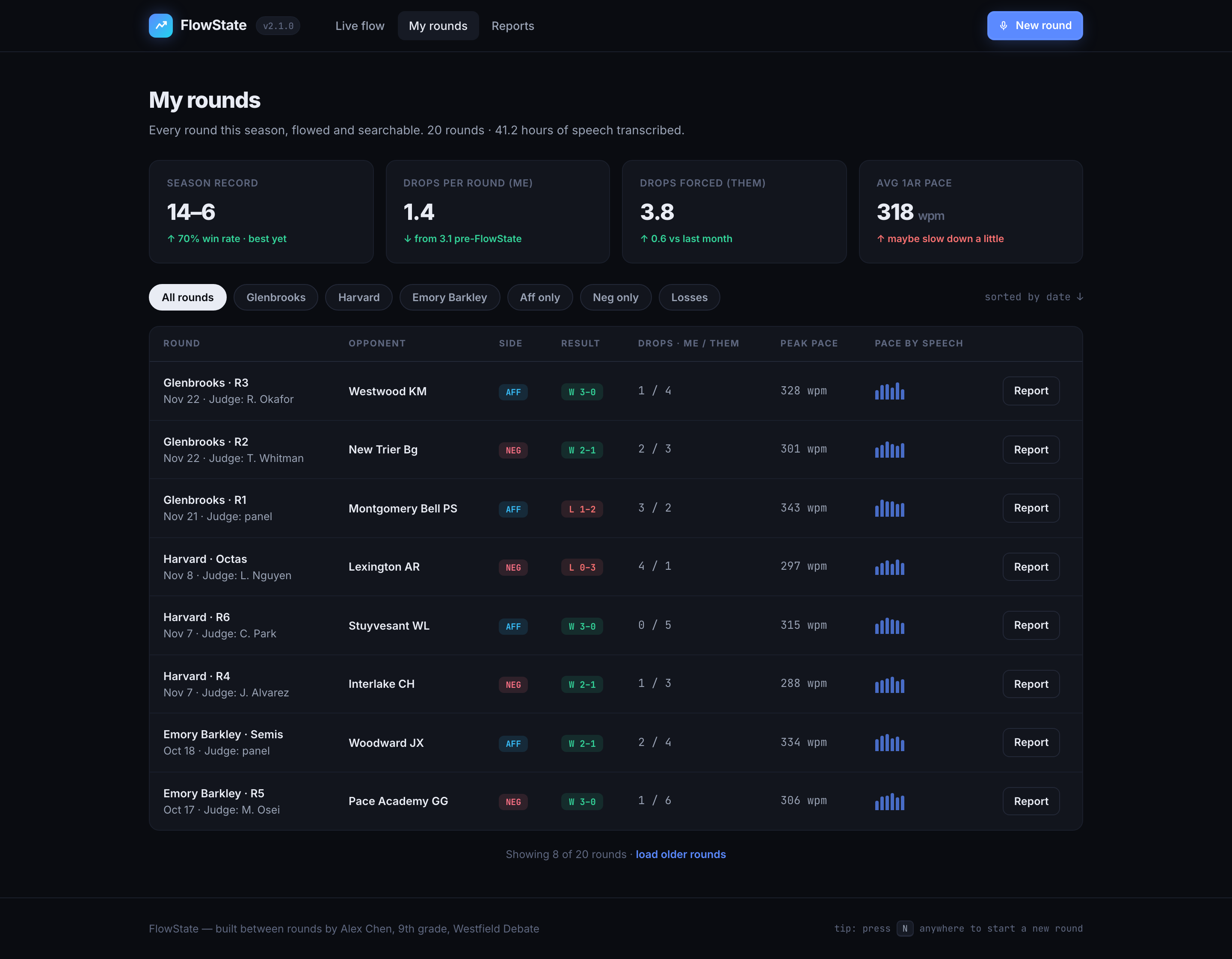
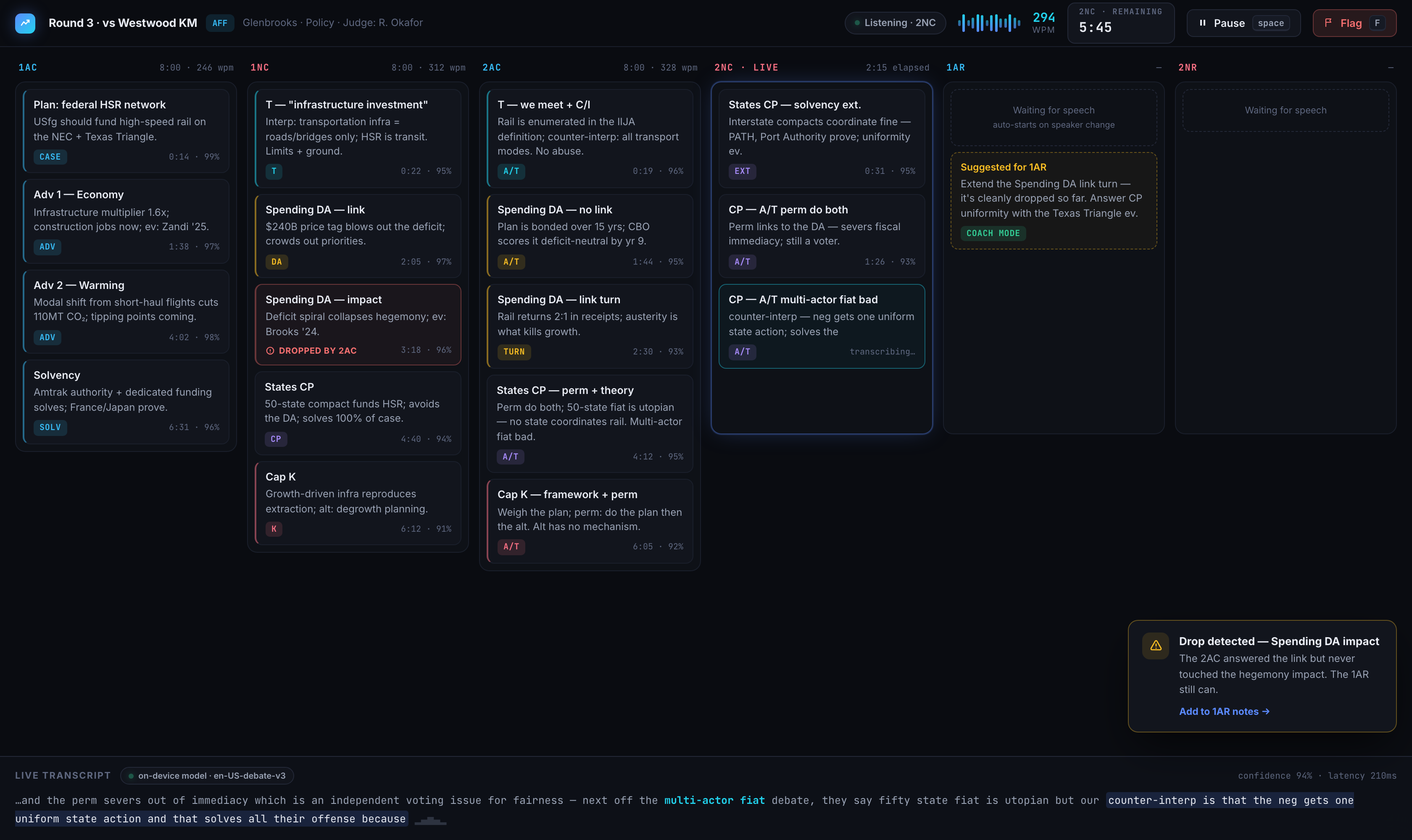
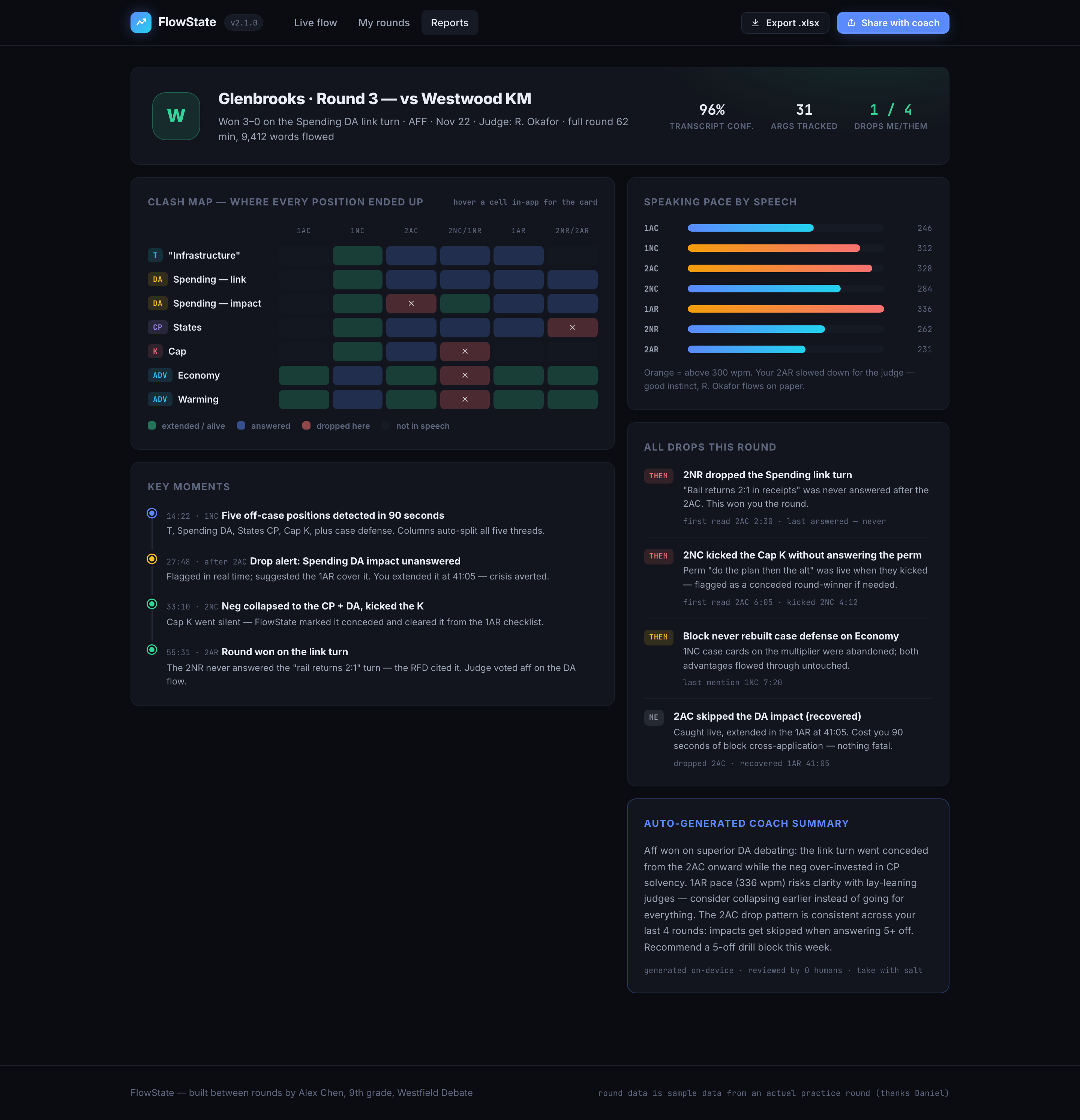
A debate-round app that transcribes live and flags dropped arguments
This is the kind of app students build here — a real, useful product with its own identity, shipped to a link anyone can open. FlowState listens to a debate round, splits it into speech columns, tags every argument, and flags the ones that get dropped. Yours will be your own idea, built and designed by you.
What a session looks like
- 0:00
Demo & diagnose
A student shows progress; the group finds the next improvement.
- 0:10
New technique
The week's skill — auth, uploads, roles, or a search feature — taught live.
- 0:30
Guided build
Students build against their own product while the coach circulates.
- 1:15
Wrap & log
Each student sets a specific goal for the next week.
Curriculum
Weeks 1–2 — Plan a bigger app
Scope a multi-page project, sketch the pages, and set up the new build with what they already know.
Weeks 3–4 — User accounts
Add sign-in so different users see their own data. What authentication is, kept simple.
Weeks 5–7 — Richer features
Search and filter, image uploads, and simple roles like an admin view.
Weeks 8–9 — See the real code
Connect GitHub to view the code Lovable generates; understand ownership and what a repository is.
Weeks 10–11 — Test & iterate
Hand the app to real testers, prioritise what they surface, and work the list down.
Week 12 — Launch & demo
A custom domain, a public launch, and a final demo of a product-like app.
What’s included
- 12 live small-group classes, capped at 6 students
- A GitHub connection so students can see the code they own
- A custom domain and hosting for the finished app
- Weekly written feedback to parents
- A student showcase entry for the launched app
How to join
- Purchase your seat. Choose your time-zone slot at checkout and pay securely. Classes are capped at six, so seats go in the order they’re booked.
- We confirm the details. After checkout a coach confirms your slot and asks a few quick questions so the first class is pitched right for your child.
- Sit the first class risk-free. If it’s not the right fit, tell us after that class and we’ll refund you in full.
Not sure yet? Book a free consultation or email hello@redwoodacademy.ai and a coach will help you choose.
Frequently asked questions
Who is this for?
Students aged 10–13 who have completed Vibe Coding Course I, or who have built an equivalent app on their own that they can walk us through.
How is it different from Course I?
Course I ships one app. Course II adds the parts that make software real: user accounts, richer features, testing with real people, and a first look at the actual code via GitHub.
When does it run?
It runs as the term after Course I, with the same weekend time-zone options. Course I graduates are invited first.