About this course
A full semester for younger builders to go from “I have an idea” to a published app with saved data. No handwritten code required. Students learn what an AI model is and how it works, then spend the term directing Lovable to build something they actually care about: a book or game tracker, a pet-care log, a habit tracker, a club directory. Along the way they pick up the ideas underneath the tool: what a page is, what a component is, what a database is (“a table that remembers things”). They direct the AI with understanding rather than guessing. Every student ships one polished app they can explain and show off.
Is this the right fit?
- Who it’s for
- Students aged 10–13 who have an idea they want to build and no idea where to start. Scratch or Minecraft experience helps but is not assumed.
- Prerequisites
- None. A computer, a reliable connection, and a parent willing to own the tool account.
- Tools students use
- Lovable (lovable.dev) with a built-in Supabase backend, on parent-owned or supervised accounts
- Where it leads
- Most students go on to AI App Course II.
Class schedule
Four weekly time slots: three for families in the Gulf and Asia (Friday, Saturday or Sunday afternoon in Dubai) and one for the Americas. Pick the one that fits; a coach confirms it when you enroll.
Times below are for the Fall term 2026 (2-hour classes). The Spring term 2027 starts at the same times with 90-minute classes.
Times convert to your zone automatically and account for daylight saving. A coach confirms your slot when you enroll.
What students walk away with
- A published, data-backed web app: a tracker, log, or directory they designed and built
- A real understanding of what AI is: a prediction machine that has to be checked
- Prompting properly: instruction, context, examples, constraints, and iteration
- The vocabulary of an app: pages, components, front-end vs. back-end, and what a database is
- The habit of building in small steps, reading what changed, and reverting when needed
What students build
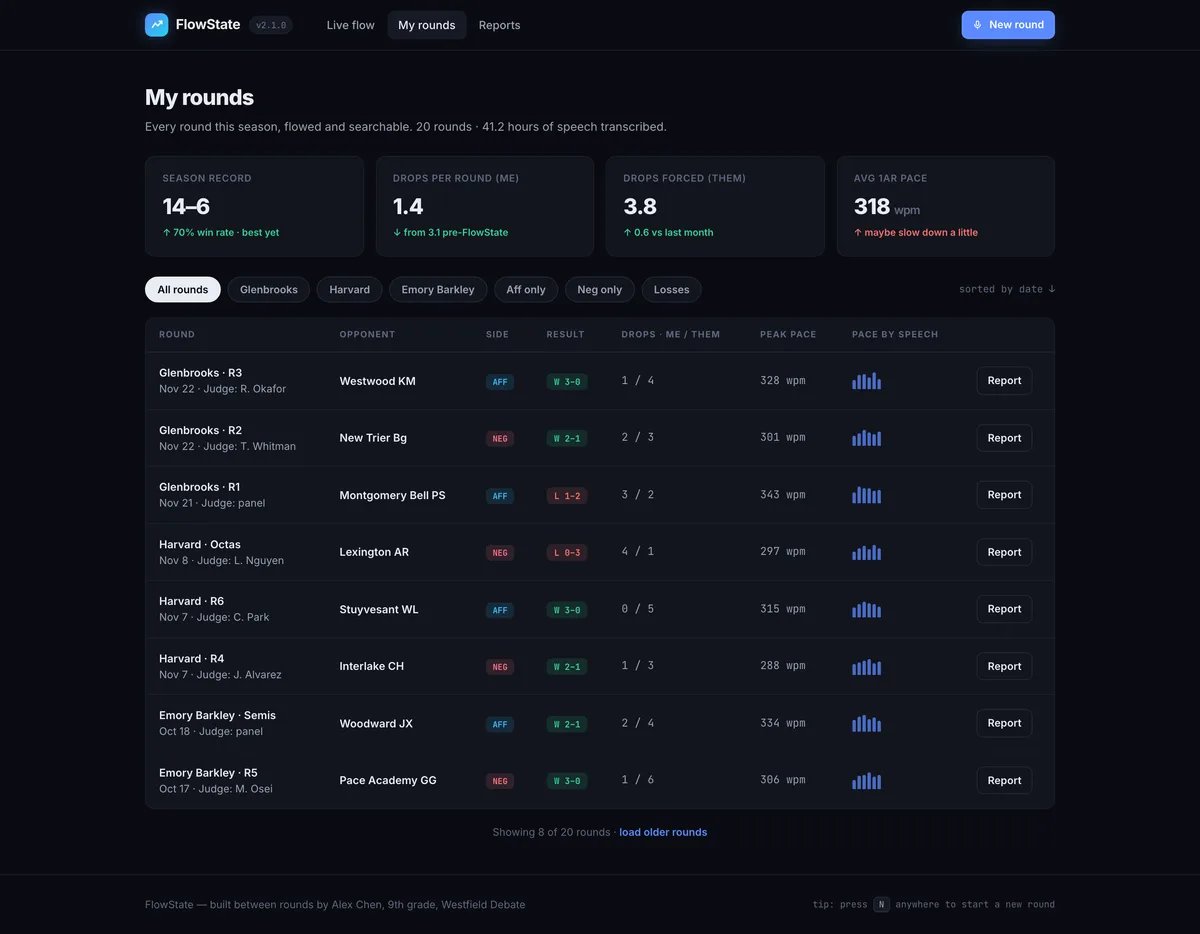
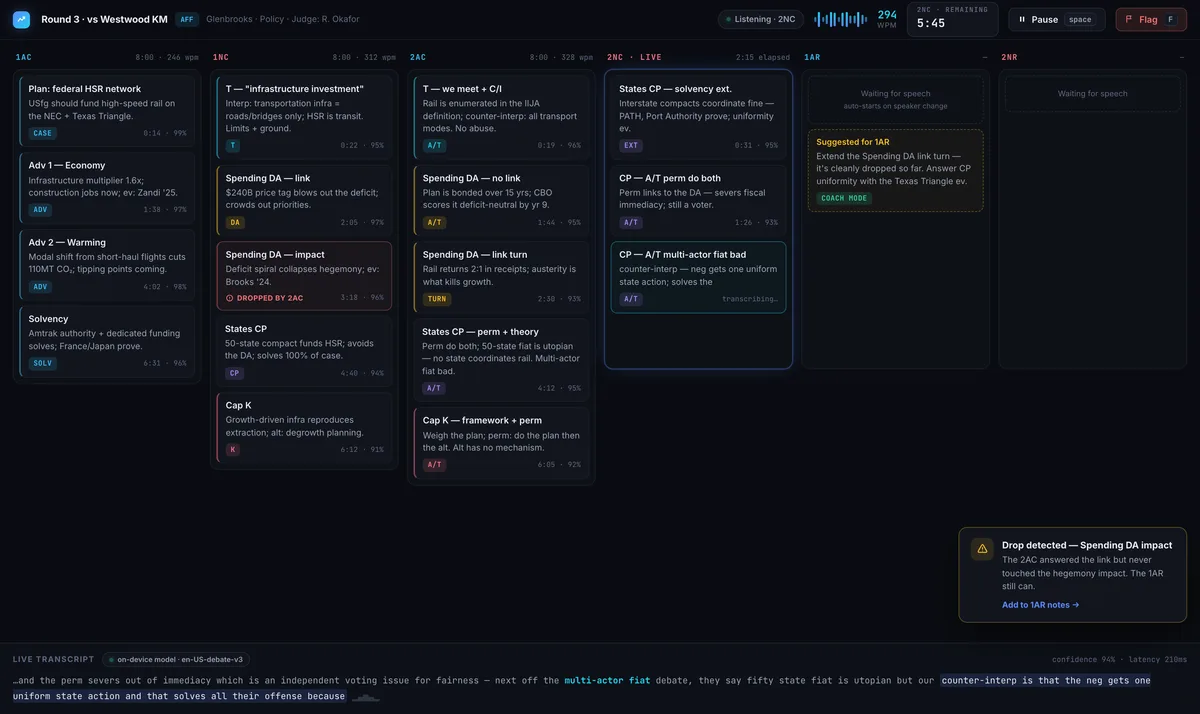
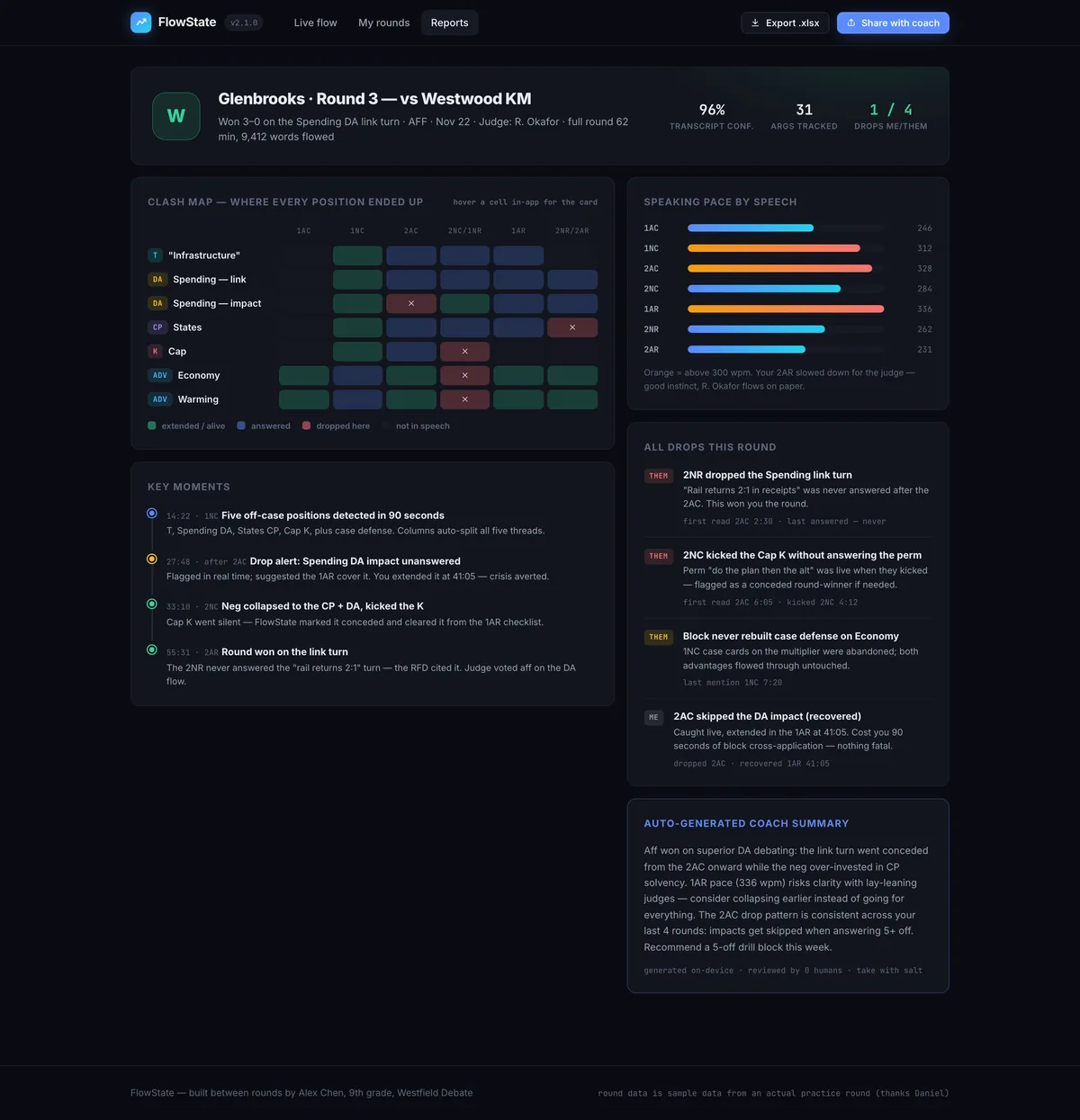
A debate-round app that transcribes live and flags dropped arguments
This is the kind of app students build here: a real, useful product with its own identity, shipped to a link anyone can open. FlowState was built by one of our students, a 13-year-old policy debater in San Francisco: it listens to a debate round, splits it into speech columns, tags every argument, and flags the ones that get dropped. Yours will be your own idea, built and designed by you.
What a session looks like
- 0:00
Demo & diagnose
One student shows what they shipped since last week; the group finds one thing to improve.
- 0:10
New technique
The week's skill, taught live: writing a prompt, describing a design, connecting data.
- 0:30
Guided build
Students apply it to their own app while the coach circulates, building for most of the session.
- 1:15
Wrap & log
Each student notes what they added and what they will do next week.
Curriculum
The Fall term 2026 (Oct 23 – Dec 20) teaches this course in 9 2-hour sessions. The full 12-week Spring term 2027 plan follows.
Fall term 2026: the 9-session plan
Session 1: How AI builders work, and prompting
What Lovable is, a live prompt-to-app demo, and the core idea: AI predicts, your prompt steers. Then the four prompting moves plus constraints, and describing a look in words.
Session 2: Idea to brief, and the first build
Each student defines their app (purpose, users, pages, main feature), writes a strong first prompt, and generates the starter app. Rule: small steps, review each change.
Session 3: Design it, pages & navigation
Themes, colors, typography and layout, with version history as a safety net. Multiple pages, a working menu, and the idea of components.
Session 4: Add a form
Front-end vs. back-end. Add a form that collects real input from a user, and test it.
Session 5: Add a database
Connect the built-in backend, create a table, and make submitted entries actually save.
Session 6: Show & manage data
Display saved entries in a list; add edit and delete. Create, see, change, remove.
Session 7: Debugging clinic
Things break: that is normal. Describe a bug clearly to the AI, read what changed, and revert when needed.
Session 8: Polish & publish
A final design pass, a phone test, and publishing to a shareable URL.
Session 9: Demo day
Each student presents their live app: the idea, their best prompt, and one bug they beat.
Spring term 2027
Week 1: How AI builders work
What Lovable is and what “vibe coding” means. A live prompt-to-app demo. The core idea: AI predicts, your prompt steers.
Week 2: Prompt engineering
The four moves plus constraints. Rewriting weak prompts. Describing a look in words: “clean, playful, blue and white, big rounded buttons.”
Week 3: Idea to brief
Each student defines their app: purpose, users, pages, main feature, then writes a strong first-generation prompt.
Week 4: First build
Generate the starter app. Tour the editor, preview, and mobile view. Rule: small steps, review each change.
Week 5: Design it
Themes, colors, typography, and layout through visual editing and chat. Version history as a safety net.
Week 6: Pages & navigation
Multiple pages and a working menu. The idea of components and reuse.
Week 7: Add a form
Front-end vs. back-end. Add a form that collects real input from a user.
Week 8: Add a database
Connect the built-in backend, create a table, and make submitted entries actually save.
Week 9: Show & manage data
Display saved entries in a list; add edit and delete. Create, see, change, remove.
Week 10: Debugging clinic
Things break: that is normal. Describe a bug clearly to the AI, read what changed, and revert when needed.
Week 11: Polish & publish
A final design pass, a phone test, and publishing to a shareable URL.
Week 12: Demo day
Each student presents their live app: the idea, their best prompt, and one bug they beat.
What’s included
- Live small-group classes, capped at 6 students: 9 two-hour classes in Fall or 12 of 90 minutes in Spring
- Tool accounts set up for the course: no keys or billing for students
- Weekly written feedback to parents
- Deployment and hosting for the student's app
- A place in the student showcase for the finished app
How to join
- Purchase your seat. Choose your time-zone slot at checkout and pay securely. Classes are capped at six, so seats go in the order they’re booked.
- We confirm the details. After checkout a coach confirms your slot and asks a few quick questions so the first class is pitched right for your child.
- Sit the first class risk-free. If it’s not the right fit, tell us after that class and we’ll refund you in full.
Not sure yet? Book a free consultation or email info@redwoodacademy.ai and a coach will help you choose.
Frequently asked questions
Does my child need to know how to code?
No. This course assumes zero programming, and it works best when the app is the student's own idea rather than an assigned exercise.
What are the class times?
Two terms, same curriculum. Fall: nine 2-hour classes, Oct 23 – Dec 20, 2026 (Fridays Oct 23 – Dec 18, Saturdays Oct 24 – Dec 19, or Sundays Oct 25 – Dec 20). Spring: twelve 90-minute classes, Jan 8 – Apr 4, 2027 (no class over Easter weekend). In both, one of four weekly slots: Friday 3 PM Dubai (7 PM Singapore), Saturday 3 PM Dubai (7 PM Singapore), Sunday 2 PM Dubai (6 PM Singapore), or the Americas slot (Sunday late morning US Eastern, early morning US Pacific).
Isn't the AI just doing the work?
The AI writes drafts. The student decides what to build, directs it, reads what came back, tests it, and fixes it, and each week explains a piece of their own app to a coach. That check is the course.
What does my child build?
One app of their choosing with saved data: commonly a book/game tracker, a pet-care log, a habit tracker, or a simple club directory. Ambitious enough to be proud of, simple enough to finish in a term.